
Security Report
Content: security_report_en.txt
Within the SECURITY REPORT,
all security-related events,
access attempts
and protection measures
of PLUS23.CYBER.SECURITY
are documented and analyzed.
This includes, among other things,
suspicious requests,
scanner activities,
bruteforce attacks,
suspicious bots
as well as blocked or restricted network access.
The security analysis reviews incoming requests
(POST, GET, USER-AGENT, REFERRER),
file uploads
as well as known attack
and manipulation patterns.
In addition,
IP addresses are analyzed
using signatures,
blocklists
and security rules.
Modern CMS or shop systems
partially use technical requests
that may resemble suspicious behavior
from a security perspective.
As a result,
security mechanisms may be triggered
or certain functions may become restricted.
If legitimate functions are blocked,
the corresponding requests
can specifically be released through the
Dashboard::Configuration::Allowlist.
Please additionally inform
the respective manufacturer or developer
if security issues
or insecure implementations are identified.
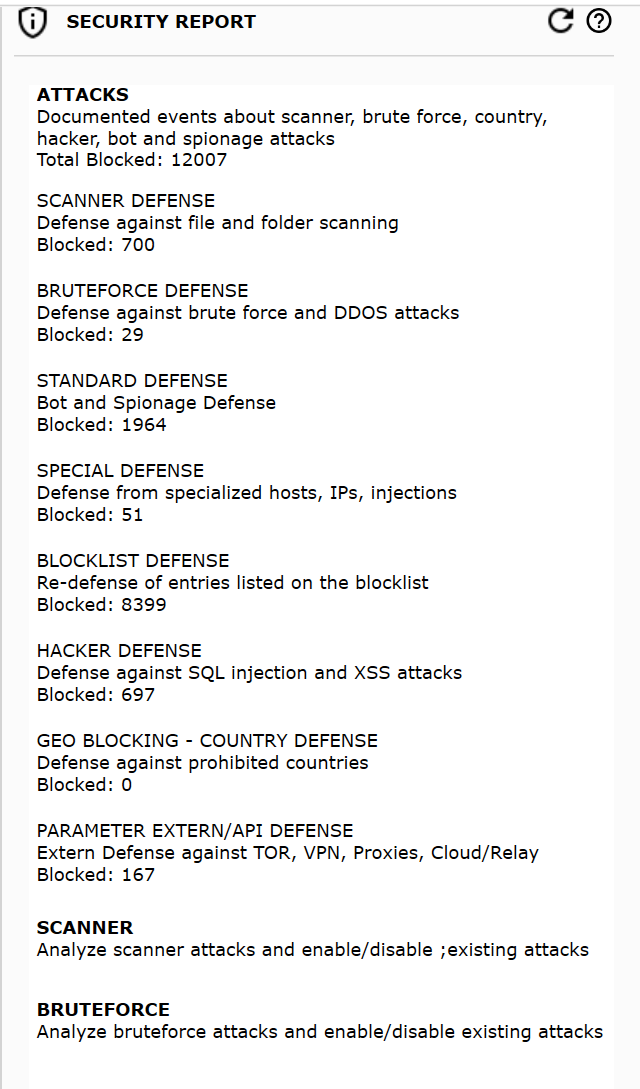
ATTACKS
All security events
are documented and archived monthly.
The current month
is displayed chronologically
by date and time.
You can access older events at any time
to retrospectively analyze attacks,
anomalies
or security incidents.
Each event includes, among other things:
- IP address and host
- Timestamp of the event
- Associated security CODES
- Technical access information
The detailed view displays all available access data, including the actual IP address, remote IP, hostnames, user agent as well as additional network and request information.
IP address and remote IP may differ if VPN, proxy, TOR or CDN services are used.
Using the Guard.Framework - LookUp, you can retrieve additional information about the respective IP address.
Within the events, you can search by titles, CODES or detailed information and specifically filter the display.
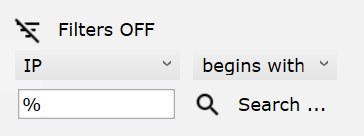
NOTICE: If only specific events should be displayed or exported, the search field can be used to narrow down the results.
Individual events can:
- be copied to the clipboard
- be analyzed further
- or directly added to the allowlist
Depending on the event, you can choose between:
- IP address
- Host
- User-Agent
- or Referrer
The export is performed in CSV format and can be processed further with any software that supports CSV files.
SCANNER
The SCANNER section
documents automated file,
folder
and structure scans
that were performed
against your domain or infrastructure.
These access attempts
are often used
to identify vulnerable files,
insecure directories,
administrative areas
or known security weaknesses.
Since scanner activities
are frequently associated
with automated attacks,
corresponding IP addresses
may automatically be restricted or blocked
depending on the security configuration.
The events can be filtered
and analyzed
by timeframe,
IP address
or host.
NOTICE:
If you receive the
Error Code
+++C16-8C+++
when accessing your website,
a scanner
or analysis activity
has been detected.
Further information can be found in:
[QUICK-TIPS]
BRUTEFORCE
The BRUTEFORCE section
documents automated login
and authentication attacks.
This includes, among other things,
repeated login attempts,
automated password requests
or suspicious access attempts
to protected areas
of your online systems.
The events can be filtered
by timeframe,
host
or additional access information.
NOTICE:
If you receive the
Error Code
+++C16-9C+++,
a bruteforce
or login protection rule
has been triggered.
Further information can be found in:
[QUICK-TIPS]