
Tools
Content: tools_en.txt
The TOOLS section of PLUS23.CYBER.SECURITY
provides various tools for analysis,
administration, encryption and security-related tasks.
The integrated functions support administrators,
developers and security personnel
in better understanding technical processes,
evaluating security-related information
and performing administrative tasks more efficiently.
In addition,
various tools support the analysis of domains,
files,
network data
and security-related events.
USER ACCOUNT
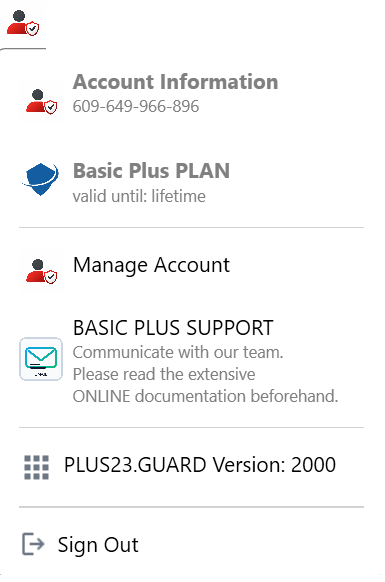
ACCOUNT AND PLAN INFORMATION
PLUS23 displays information about your license,
registered email address
as well as your currently active plan.
For security reasons,
certain account details
are only displayed in a limited form.
MANAGE ACCOUNT (PLUS23.COMMAND)
Using PLUS23.COMMAND,
you can centrally manage your user account,
including:
- Domains and licenses
- Security and configuration settings
- Activity and security logs
- Installation and administration functions
PLUS23 regularly checks the license and activation status of your applications and domains. Depending on the selected product or plan model, additional extensions, updates or support services may be available.
SUPPORT
Depending on the respective product or support plan, various support and administration functions are available to you.
- Technical information and system notifications
- Product, license and domain management
- Provision of updates and extensions
- Reporting of technical issues or security events
- Contact options for support or analysis requests
Certain support or analysis services may vary depending on the respective product, plan or management scope.
GUARD VERSION
In this section, available PLUS23.GUARD updates, new features and version changes can be reviewed.
As soon as a new update becomes available, the corresponding update function is activated.
The complete version history is additionally documented within the RELEASE NOTES.
LANGUAGE
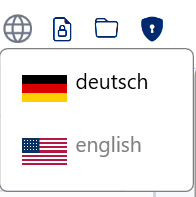
Define
in which language
your applications,
LOGS
and user interfaces
should be displayed.
Currently,
PLUS23.CYBER.SECURITY
supports German and English.
NOTICE:
Language settings
can additionally
be configured individually
for specific domains.
CRYPTOGRAPHY :: ENCRYPT TEXTS
Text encryption enables
the secure encryption,
storage
and processing
of sensitive text content.
This includes for example:
- Passwords
- Administrative data
- Configuration information
- Technical notes
- Other confidential content
The interface is intentionally designed similarly to classic text editors and supports functions such as:
- New
- Open
- Save
- Copy
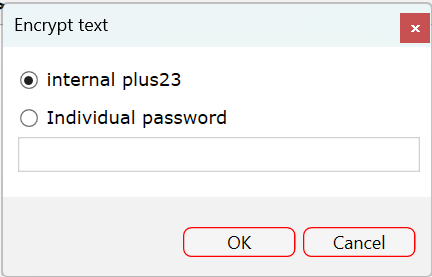
NOTICE: Decryption must always be performed using the same method and identical key that was previously used for encryption.
APPLICATION EXAMPLE:
For the secure storage of administrative credentials or confidential information, the use of individual passwords or internal security methods is recommended.
CRYPTOGRAPHY :: ENCRYPT FILES
File encryption enables
the secure encryption
and management
of sensitive files
on local or external storage devices.
Any files can be added,
encrypted,
decrypted
or removed from the overview.
PLUS23 automatically detects
the current file status
and distinguishes between:
- encrypted Encrypted files additionally receive the file extension .buz.
- unencrypted The file remains in its original state and can, for example, be opened by double-clicking or edited further.
- not available This status may occur if files were deleted, moved or stored on external storage devices.
In this state, files cannot directly be opened or edited.
For external drives such as USB storage devices, the overview can be refreshed using Reload File List.
NOTICE: If files are securely deleted within PLUS23, they can no longer be restored afterwards. The deletion process is performed in a way that significantly complicates subsequent recovery attempts.
PLUS23.GUARD.FRAMEWORK
provides an extensive collection
of technical tools
for administrators,
developers
and security personnel.
The platform includes, among other things:
- Converters
- Hashing algorithms
- Encoding/Decoding tools
- Analysis and network tools
- Security and LOOKUP functions
The tools support the analysis, processing and evaluation of technical information and security data.
Further information can directly be found at: tools.plus23.org Or within the complete description of Guard.Framework